I’ve seen plenty of teams running Terraform from their laptops. Some commit the state file to git (which creates merge conflicts and exposes secrets). Others share it via S3 buckets without locking. A few keep it local and become the bottleneck for all infrastructure changes.
Local Terraform isn’t always wrong though.
For personal projects or early-stage startups with one infrastructure person, running terraform apply from your machine works fine. You move fast, there’s no pipeline to configure and you’re not context-switching between your editor and a CI dashboard. I built this website’s infrastructure (S3, CloudFront, Route53, ACM) entirely from my laptop at first. Zero issues.
The problems start when you add people or when mistakes get expensive. Multiple engineers running apply simultaneously corrupt the state. Someone accidentally targets production instead of staging. Your AWS bill spikes because a test change wasn’t properly reviewed. Sensitive data in the state file gets committed to git. No audit trail exists for compliance.
That’s when you need production-ready Terraform.
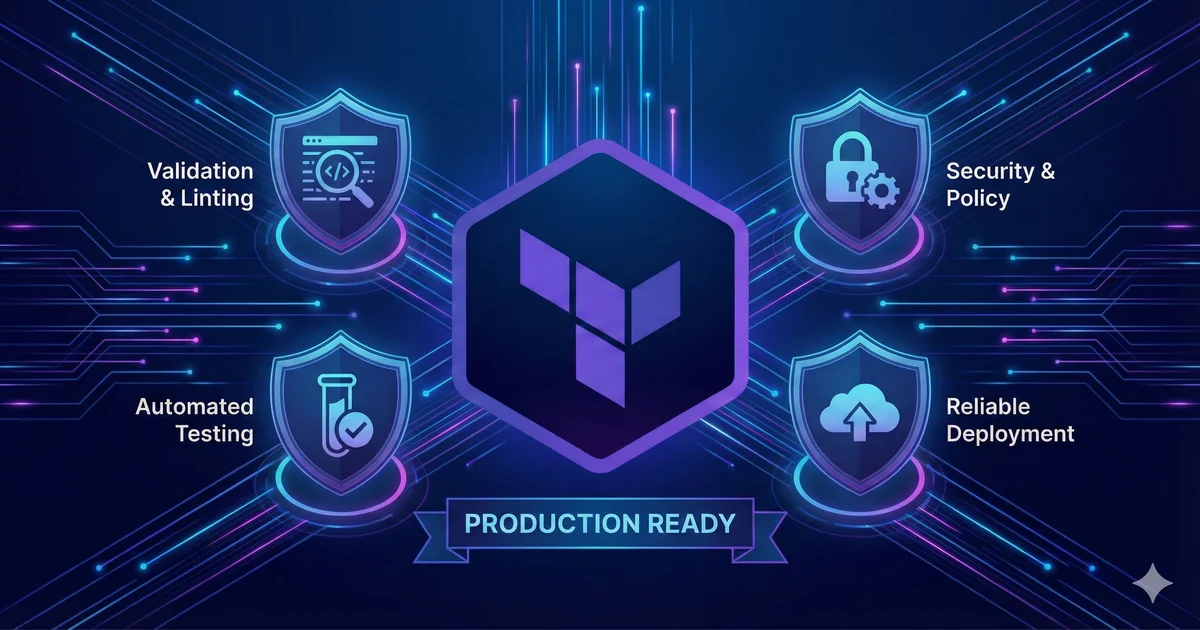
Production-ready means automated validation catches errors before apply, security scans block misconfigurations, every change is reviewed and logged and infrastructure updates don’t depend on one person’s laptop. Getting there requires testing at multiple levels and CI/CD that respects how infrastructure changes actually work.
This post covers the testing pyramid for infrastructure as code, walks through tflint, tfsec and policy checks with OPA, then shows you how to build a complete CI/CD pipeline with drift detection.
All code examples are available in the terraform-cicd repository with complete, working implementations you can clone and use. Follow the installation guide to set up all required tools.

Syntax and Formatting Link to heading
Terraform fmt and validate are your first line of defense. They’re fast, they catch obvious mistakes and they make code reviews easier because formatting is consistent.
terraform fmt -recursive
terraform validate
Run fmt before every commit. It automatically fixes indentation, spacing and canonical HCL formatting. No more arguing about tabs vs spaces or whether to align equals signs. The tool decides.
Validate checks for syntax errors, invalid resource references and type mismatches. If you reference a variable that doesn’t exist or pass a string to an argument expecting a number, validate catches it. This runs after init because it needs provider schemas. HashiCorp’s style guide covers additional conventions beyond what fmt enforces.
I add both to a pre-commit hook so they run automatically with a .pre-commit-config.yaml file:
repos:
  - repo: https://github.com/antonbabenko/pre-commit-terraform
    rev: v1.96.1
    hooks:
      - id: terraform_fmt
      - id: terraform_validate
Run pre-commit install to enable the hooks. Now every git commit runs these checks automatically. If they fail, the commit is blocked. See the complete configuration with additional hooks.
This takes about two seconds and can save you from pushing broken code. Especially helpful when you’re editing multiple files and forget to check syntax in all of them.
Static Analysis with tflint and tfsec Link to heading
Syntax checks catch structural errors but not logical mistakes. Static analysis tools read your Terraform code and apply rules about best practices, security and provider-specific issues.
tflint focuses on code quality and provider conventions. It warns about deprecated arguments, invalid instance types, overly permissive ingress rules and inconsistent naming. Think of it as a linter for HCL.
Create a .tflint.hcl configuration:
plugin "aws" {
  enabled = true
  version = "0.32.0"
  source  = "github.com/terraform-linters/tflint-ruleset-aws"
}

rule "terraform_naming_convention" {
  enabled = true
}

rule "terraform_documented_variables" {
  enabled = true
}
Run tflint --init to download plugins, then tflint --recursive to scan all directories. You’ll get warnings about missing version constraints, undocumented variables and deprecated patterns. See the complete configuration with additional rules.
tfsec handles security while tflint handles code quality. It scans for misconfigurations that could create vulnerabilities. Unencrypted S3 buckets, overly permissive IAM policies, security groups allowing 0.0.0.0/0 ingress, missing CloudTrail logging.
Run tfsec . --minimum-severity HIGH to start with critical findings only. Each finding links to documentation explaining the risk and how to fix it. Most are quick wins like adding encryption, enabling logging or restricting CIDR ranges.
You can suppress specific findings with inline comments when needed:
#tfsec:ignore:aws-s3-enable-bucket-logging
module "s3_bucket" {
  # Logging intentionally disabled for cost reasons
  source = "terraform-aws-modules/s3-bucket/aws"
}
I run both tools in CI and locally. tflint catches quality issues during development, tfsec catches security issues during code review. Together they’ve prevented bucket misconfigurations, caught deprecated instance types and enforced naming standards across teams.
Don’t let perfect be the enemy of good. If you enable every tfsec rule on an existing codebase you’ll get 100+ warnings and your team will ignore the tool. Start with HIGH and CRITICAL severity, fix those, then gradually tighten rules as you refactor.
Policy as Code with OPA and Conftest Link to heading
Static analysis catches common issues but organizational rules often live in wikis. Policy as code solves this by encoding rules in a format that can be automatically evaluated against every Terraform change.
Open Policy Agent lets you write policies in Rego (a declarative language) and evaluate them against structured data. For Terraform this means evaluating policies against the plan JSON output.
Conftest is a CLI tool that wraps OPA and makes it easy to test Terraform plans, Kubernetes manifests, Dockerfiles and more. Write policies in Rego to enforce organizational rules:
package main

deny contains msg if {
  r := input.resource_changes[_]
  r.type == "aws_s3_bucket_versioning"
  not r.change.after.versioning_configuration[_].status == "Enabled"
  msg := sprintf("S3 bucket '%s' must have versioning enabled", [r.address])
}

deny contains msg if {
  r := input.resource_changes[_]
  r.mode == "managed"
  not r.change.after.tags.Environment
  msg := sprintf("Resource '%s' missing required tag: Environment", [r.address])
}
Generate a Terraform plan and test it:
cd terraform
terraform init
terraform plan -out=tfplan
terraform show -json tfplan > plan.json
conftest test plan.json -p ../policy/
If any policy is violated you’ll get output like:
FAIL - plan.json - main - S3 bucket 'module.s3_bucket.aws_s3_bucket.this[0]' must have versioning enabled
FAIL - plan.json - main - Resource 'aws_cloudfront_distribution.main' missing required tag: Environment

2 tests, 0 passed, 0 warnings, 2 failures, 0 exceptions
Conftest exits with non-zero status so your CI pipeline can fail the build. Now your organizational policies are enforced automatically. The policy is code, it’s versioned in git and it runs on every change.
You can also write warnings for things that should be reviewed but not blocked:
warn contains msg if {
  r := input.resource_changes[_]
  r.type == "aws_cloudfront_distribution"
  r.change.after.price_class == "PriceClass_All"
  msg := sprintf("CloudFront '%s' uses PriceClass_All which may be expensive", [r.address])
}
See the complete policy file for more examples including encryption enforcement, public access blocking and HTTPS requirements.
Rego has a learning curve. OPA playground is invaluable for testing policies. Start simple and expand as you learn.
Building the CI/CD Pipeline Link to heading
Now we bring everything together into an automated pipeline. You need fast feedback on pull requests, comprehensive validation before merging, safe apply process with approval gates and audit logging for compliance.
I’m showing GitHub Actions here but the concepts translate to all alternatives. The key is separating PR checks (fast, informational) from deployment (slow, gated).
The PR validation workflow looks like this:
name: Terraform PR Checks

on:
  pull_request:
    paths:
      - 'terraform/**'

permissions:
  contents: read
  pull-requests: write
  id-token: write
  security-events: write

jobs:
  validate:
    runs-on: ubuntu-latest
    steps:
      - name: Checkout
        uses: actions/checkout@v4

      - name: Setup Terraform
        uses: hashicorp/setup-terraform@v3

      - name: Terraform Format Check
        run: terraform fmt -check -recursive

      - name: Terraform Validate
        run: terraform validate

      - name: Run TFLint
        run: tflint --recursive

      - name: Run tfsec
        uses: aquasecurity/tfsec-action@v1.0.3

      - name: Terraform Plan
        run: terraform plan -out=tfplan

      - name: Policy Check
        run: conftest test plan.json
The plan comment is critical because reviewers can see exactly what will change before approving the merge. Notice continue-on-error: true on several steps in the complete workflow so all checks run even if one fails, giving developers complete feedback.
I use AWS OIDC authentication instead of long-lived access keys. This requires setting up an IAM identity provider in AWS and a role that trusts GitHub’s OIDC provider. See the GitHub docs on OIDC for setup steps.
Apply Workflow Link to heading
The apply workflow runs after PRs merge to main or when manually triggered. It requires approval (configure in Settings > Environments > production > Required reviewers).
The environment: production setting triggers the approval requirement. When this workflow runs, it pauses and sends notifications to configured reviewers. Someone must manually approve before infrastructure changes happen.
This gives you an audit trail. Every change has a PR (with plan output and review), a merge commit and an approval in the GitHub UI.
Drift Detection Link to heading
Infrastructure drift happens. Someone makes a manual change in the AWS console, a script modifies resources outside Terraform or another tool mangles tags.
The drift detection workflow runs every Monday at 9am. If drift is detected, it creates a GitHub issue with the plan output showing what changed. If no drift is found in subsequent runs, it automatically closes existing drift issues.
Terraform plan has three exit codes: 0 means no changes, 1 means error, 2 means changes detected. The workflow uses -detailed-exitcode to detect this.
When drift is detected, open an issue for investigation. Sometimes the drift is intentional (emergency hotfix that needs to be codified) and sometimes the Terraform code needs updating to match reality. Either way, humans should review and decide the correct action.
Cost Estimation with Infracost Link to heading
Cost estimation in PRs catches expensive mistakes early. Infracost analyzes your Terraform and estimates AWS costs, then posts a comment showing the monthly delta.
The PR workflow includes an optional Infracost job that compares base branch costs with PR changes. Sign up for a free API key at infracost.io and add it as INFRACOST_API_KEY in GitHub secrets. Every PR then shows cost impact: “Monthly cost will increase by $127 (+34%)”.
Advanced Topics Link to heading
A few things I didn’t cover in detail but you should know about.
Terraform Cloud and Terraform Enterprise offer a fully managed solution with remote state, RBAC, policy as code (Sentinel instead of OPA), cost estimation and more. If you’re a large organization with dozens of Terraform repos, paying for Terraform Cloud often makes sense. For personal projects or small teams, the open-source approach I’ve shown here is usually sufficient.
Testing in ephemeral environments is another pattern. Spin up a complete preview environment for each PR (using Terraform itself), run integration tests against it and tear it down after merge. This is expensive and complex but gives you the highest confidence that changes work before production.
Module testing deserves its own post. If you’re publishing reusable Terraform modules (internal or public), you want comprehensive Terratest coverage with multiple example configurations. HashiCorp’s testing documentation covers the built-in test framework introduced in Terraform 1.6. This lets consumers trust the module and gives you confidence when making changes.
State management gets tricky at scale. You’ll want to split state files by environment and component (network state separate from compute state), implement state locking with DynamoDB, enable versioning on the S3 state bucket and consider state encryption with KMS.
Terragrunt helps manage this complexity. It wraps Terraform and solves common problems like keeping your backend configuration DRY, managing dependencies between modules and orchestrating multiple Terraform runs across environments. If you’re managing infrastructure across dev, staging and production with similar but not identical configurations, Terragrunt can eliminate tons of duplication. The tradeoff is added abstraction and another tool to learn. For small projects the overhead isn’t worth it, but at scale Terragrunt often pays for itself.
Production Ready Checklist Link to heading
Use this checklist to evaluate your Terraform setup:
Pre-commit
- Terraform fmt runs automatically
- Secrets scanning enabled
- Basic validation runs locally
PR Automation
- Terraform validate runs in CI
- tflint with provider-specific ruleset
- tfsec security scanning
- Plan output posted to PR
- Policy checks with OPA or Conftest
Deployment
- Manual approval required for production
- OIDC authentication (no long-lived keys)
- State locking enabled (DynamoDB)
- State versioning enabled (S3)
- Audit logging configured
Monitoring
- Drift detection runs on schedule
- Failed pipeline alerts configured
- Cost monitoring enabled
Documentation
- README with setup instructions
- Variables documented with descriptions
- Architecture diagram showing resources
- Runbook for common operations
Wrapping Up Link to heading
Production-ready Terraform comes down to layered validation. Syntax checks catch typos in seconds. Static analysis catches misconfigurations in minutes. Unit tests catch logic errors in hours. Policy checks encode organizational rules. CI/CD ties it together with audit trails and approval gates.
You don’t need all of this on day one. As your infrastructure grows, as you add team members, or as mistakes get expensive, investing in testing and automation pays off quickly. The tools are mature and mostly open source. tflint, tfsec, Conftest and GitHub Actions give you a complete pipeline without enterprise licenses. Add Infracost for cost visibility and you have better governance than many large companies.
Start with pre-commit hooks and basic CI validation. Add security scanning next. Then policy checks and drift detection. All the code examples from this post are available at GitHub with complete, working implementations including Terratest examples if you need integration testing for reusable modules.
If you’re optimizing AWS costs alongside your Terraform work, check out my EKS cost optimization series. A well-tested infrastructure pipeline pairs nicely with right-sized resources and autoscaling strategies. What’s your current Terraform testing setup? Let me know via the contact page if you want to discuss production-ready infrastructure for your stack.